4K Portable Projector: Autofocus, Android 11, Bluetooth
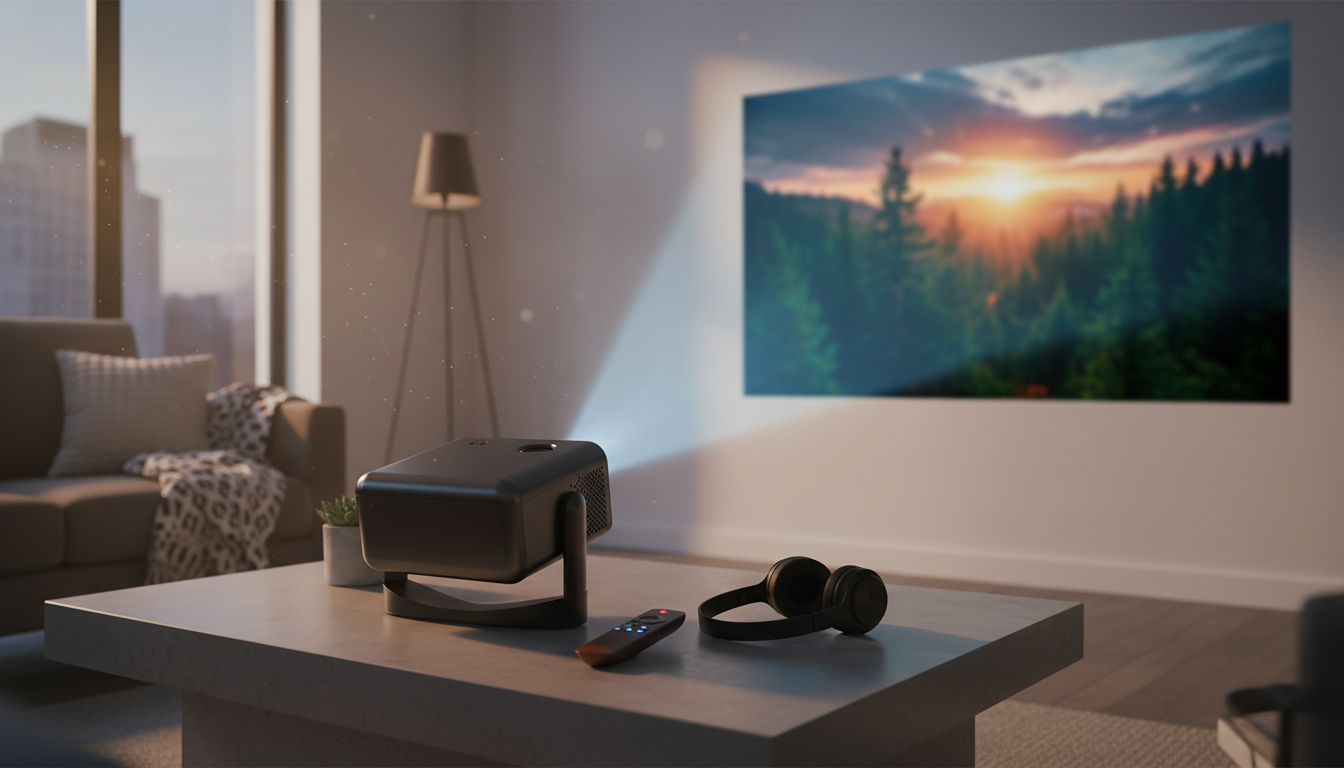
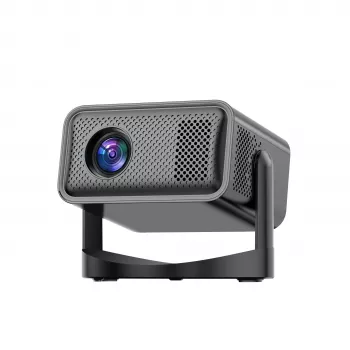
4K Portable Home Projector with Auto Focus, Bluetooth, Android 11 & 360° Cinema: Quick-Setup Big-Screen Viewing
A compact projector can turn a bedroom, living room, or backyard wall into a flexible movie and gaming space—especially when setup is fast and streaming is built in. This guide breaks down what matters most for day-to-day use: autofocus and keystone behavior, Android 11 apps, Bluetooth audio, placement options, and the practical trade-offs to expect from a portable projector.
What This Projector Is Designed to Do
A portable “set it anywhere” projector is built for convenience first—big-screen entertainment without committing to a permanent TV mount or a dedicated theater room. The main goal is to make casual viewing easy: set it on a nightstand, shelf, or small stand, power it on, and let automatic adjustments handle the basics.
- Create a large, cinematic image in small spaces without permanent mounting
- Reduce setup friction with autofocus and automatic image adjustments
- Run streaming apps directly on-device with Android 11 (no external stick required for basic use)
- Pair with speakers or headphones over Bluetooth for cleaner audio than built-in speakers
- Support flexible viewing angles and casual placement for movie nights
Key Features That Matter for Everyday Use
Auto focus: less fiddling after you move it
Autofocus is one of the most noticeable quality-of-life features on a portable projector. When you change distance or reposition the unit, autofocus helps bring the picture back to a crisp state without a manual focus ring. It’s especially useful for quick transitions—like moving from a bedroom wall to a living room screen.
Auto/assisted keystone: straighter images, within reason
Keystone correction can help square up the image when the projector isn’t perfectly centered. The best-looking results still come from starting as level and centered as possible; heavy correction can reduce usable image area or make edges look less uniform. Treat keystone as a convenience tool, not a replacement for solid placement.
Android 11 built in: streaming without extra hardware
Android projectors aim to simplify your setup: fewer cables, fewer devices, and a familiar interface. App performance depends on the app itself and the projector’s available resources, so it’s smart to keep expectations practical: great for casual streaming, and easy to supplement with an external streamer if a specific service is picky. For Android platform background, visit the official Android website.
Bluetooth audio: a quick upgrade for sound
Small projectors can look surprisingly cinematic while sounding… small. Bluetooth output lets you connect a soundbar, portable speaker, or headphones to improve dialog clarity and overall volume. For a general overview of Bluetooth capabilities, see Bluetooth SIG.
Portable form factor: store it, travel with it, take it outside
Portability changes how often a projector gets used. When it’s easy to stash in a closet or move between rooms, “movie night” becomes a spontaneous option—indoors or outdoors after sunset.
At-a-Glance Specs and Buying Checklist
Before buying, decide where it will live most of the time (bedroom, dorm, living room, backyard) and how you’ll feed it content (built-in Android streaming, HDMI device, or a mix). If you plan to plug in a console or streaming stick, it helps to understand common standards; the HDMI Licensing Administrator provides official information on HDMI.
| Need | What to look for | Why it matters |
|---|---|---|
| Fast setup | Auto focus + keystone support | Less manual tweaking when relocating the projector |
| Streaming without extras | Android 11 apps | Fewer cables and devices for casual viewing |
| Better sound | Bluetooth audio out | Improves volume, clarity, and immersion |
| Flexible placement | Wide angle/placement tolerance | Works on shelves, nightstands, or temporary stands |
| Cleaner image | Controlled room lighting or a screen | Helps contrast and perceived detail |
Room Setup Tips for a Sharper, Straighter Image
- Start centered: Place the projector as close to screen center as possible before relying on keystone correction.
- Stabilize the surface: A steady shelf or small tripod/stand reduces wobble and prevents focus “hunting.”
- Reduce stray light: Close curtains, turn off overhead lights, and avoid direct lamp glare on the screen area.
- Mind throw distance: Move the projector gradually to reach the image size you want while keeping focus stable.
- Keep vents clear: Portable projectors need airflow; avoid soft bedding or tight cubbies that trap heat.
For outdoor viewing, plan for evening use. Even a modest ambient light source (porch lights, streetlights) can wash out darker scenes, so positioning the screen away from direct light pays off.
Bluetooth Audio: When to Use It (and When Not To)
Android 11 Streaming: Practical Expectations
Who This Works Best For (and Who Should Consider Alternatives)
Product Options (In Stock)
-
4K Portable Home Projector with Auto Focus, Bluetooth, Android 11 & 360° Cinema
— A practical all-in-one choice for quick placement changes, built-in streaming, and Bluetooth audio pairing. -
Luxury Iridescent Shell Placemats – Handmade Nordic Round Decorative Tray
— A simple way to dress up a coffee table or snack setup for movie nights when the projector is out.
FAQ
Does autofocus eliminate the need to manually focus the image?
Autofocus usually keeps the picture sharp when you change distance or reposition the projector, but occasional manual tweaks can still help—especially with angled placement, uneven surfaces, or slight shifts as the unit warms up.
Can Bluetooth speakers cause audio delay when watching or gaming?
Bluetooth can introduce latency. Movies and shows are usually fine, but gaming can feel slightly delayed depending on the speaker/headphones; if timing is critical, try a low-latency mode (if available) or a wired option.
Do Android projectors always support every streaming app?
No—app support and features can vary by device and platform. Keeping apps/firmware updated helps, and using an external streaming device via HDMI is a reliable fallback when a service is limited.














Leave a comment